Your notch,
alive.
Hover the MacBook notch and it opens into a deck — every desktop with a live preview, your music, your Mac's vitals, weather, clipboard and more. Closed, it wears a glowing border that breathes with whatever you're doing.
This is the real thing, rebuilt in HTML — hover to open, click the cards, play the track, change the accent in ⚙. Esc closes, two-finger swipe changes page.
The essentials, one hover away.
Spaces, Music and System are the heart of NotchDeck — live, native, and gone again the moment you move your cursor away.
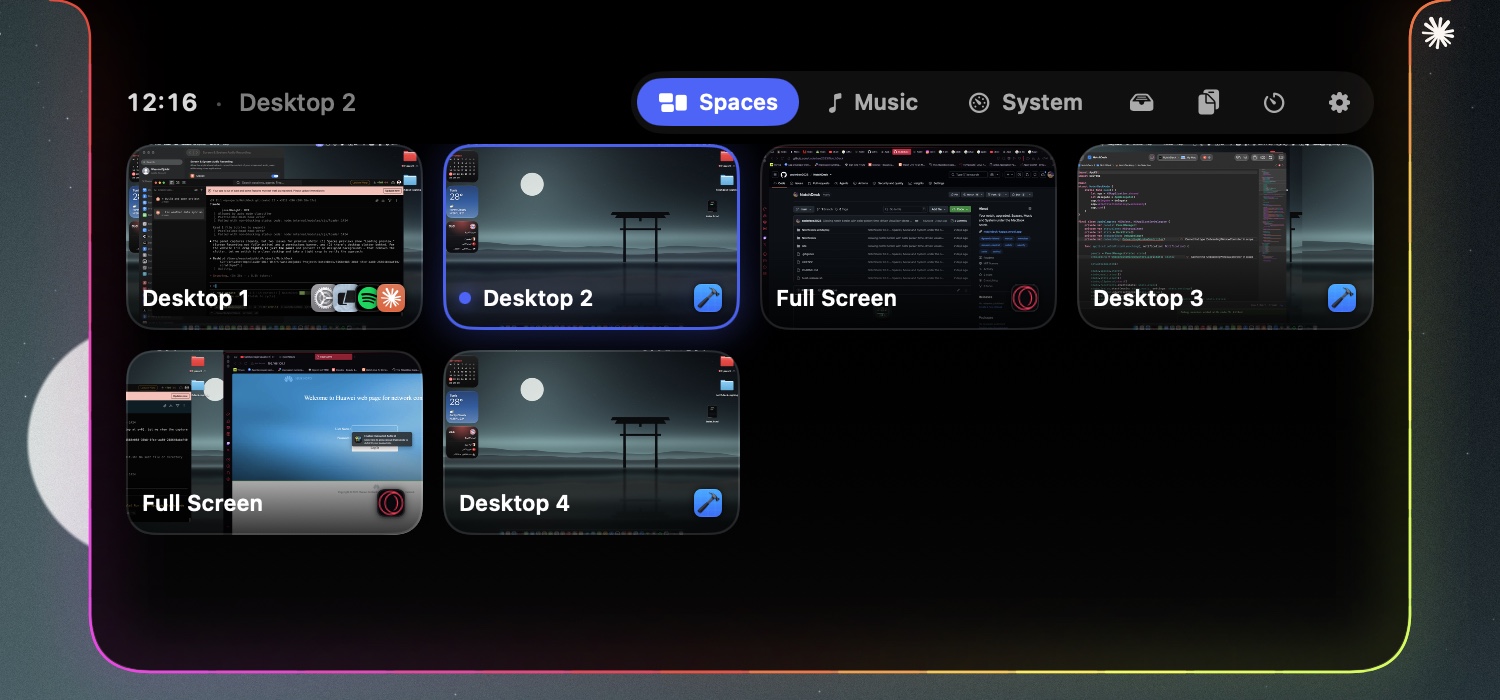
Jump straight to any desktop
Every desktop and full-screen app on the display, each with a live preview and the icons of what's running there. Click a card and you're there — no sliding through the ones in between.
- Direct jumps via Mission Control's own ⌃1–⌃9, enabled for you
- Previews of desktops you haven't even visited yet
- Each display lists and switches its own desktops
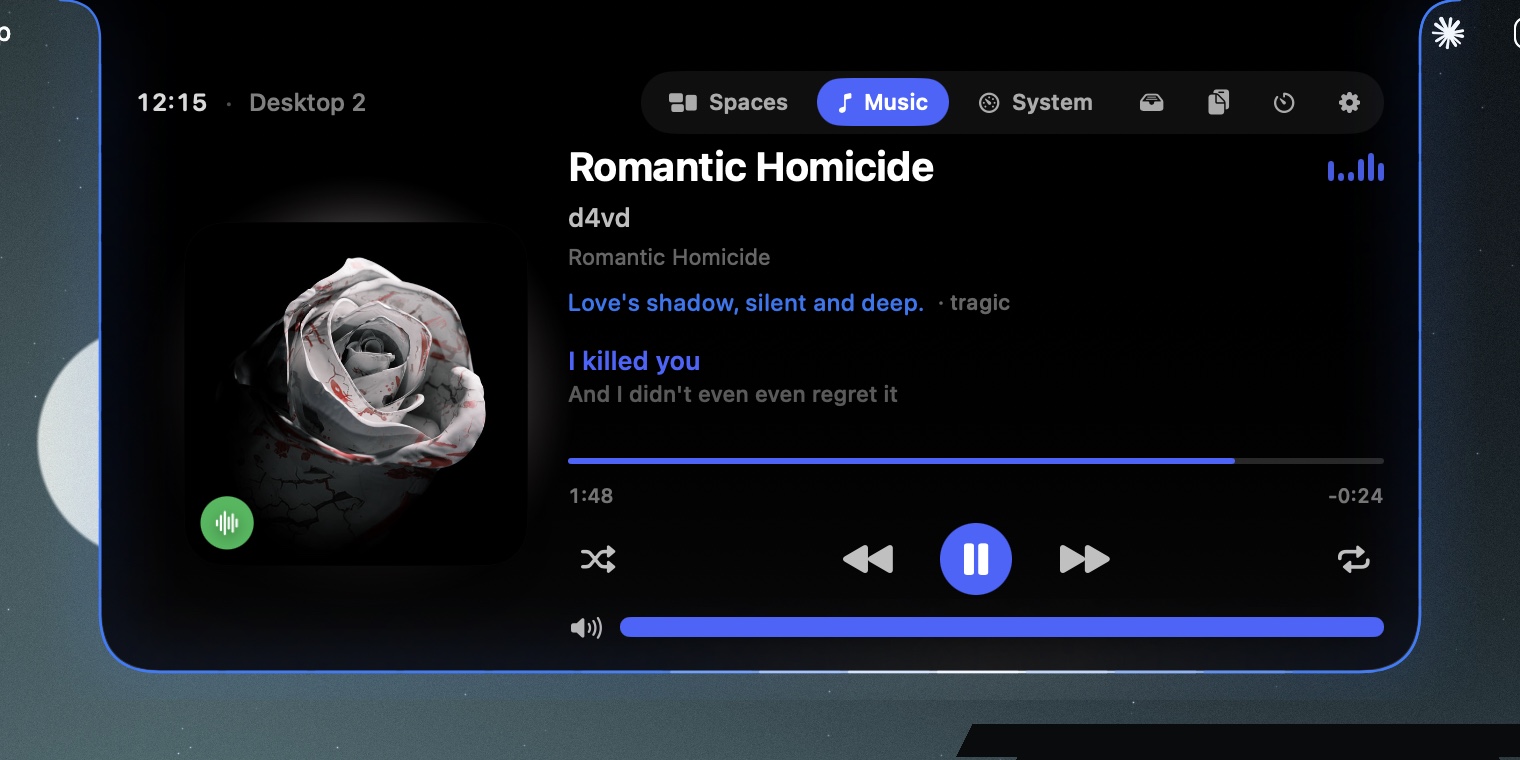
Spotify & Apple Music, without switching apps
Artwork, scrubbing, shuffle, repeat and volume — plus live lyrics and an AI-written line about the vibe. While it plays, the closed notch shows the cover and a waveform.
- Play · pause · skip · seek · volume
- Live lyrics right under the notch
- Now Playing in the collapsed notch
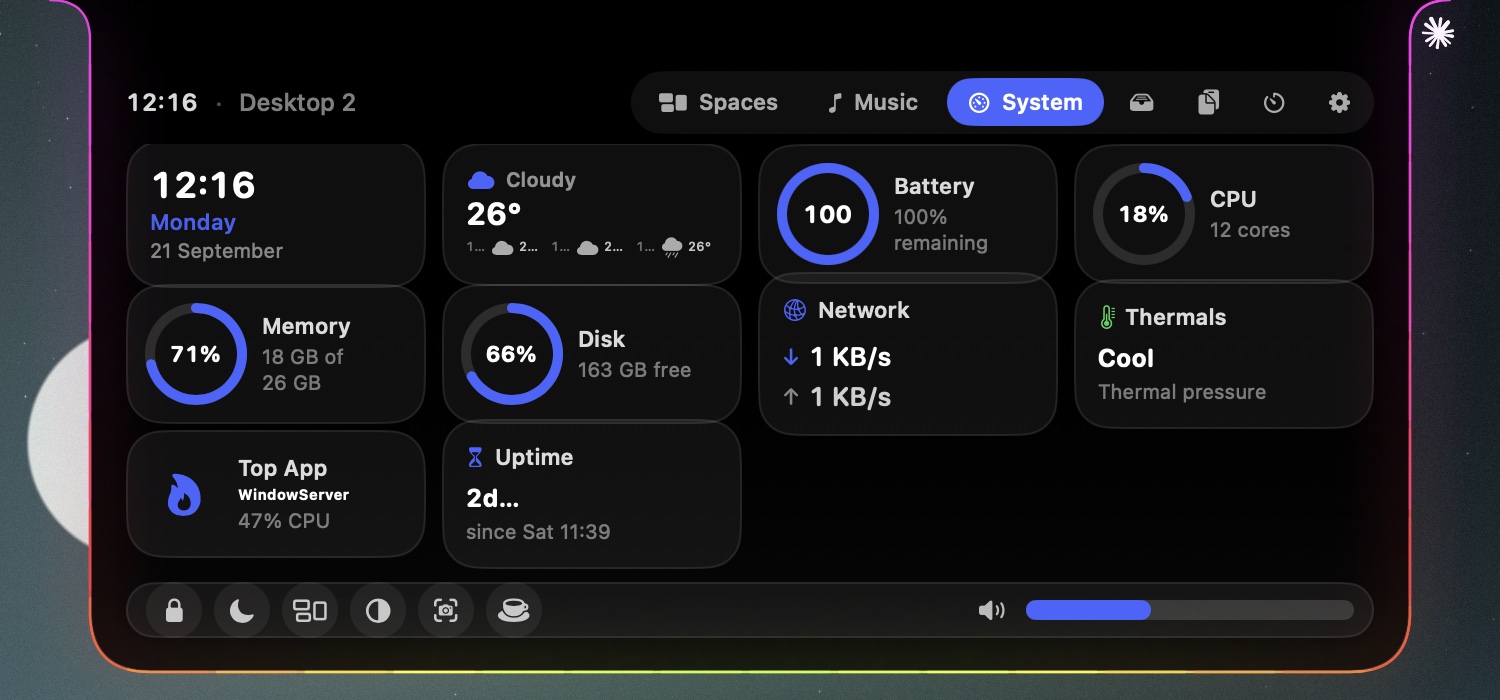
Your Mac's vitals, and a few shortcuts
Pick the widgets you care about — clock, weather, battery with time remaining, CPU, memory, disk, network, thermals, the hungriest app, uptime. A dock underneath with lock, sleep, Mission Control, dark mode, screenshot, keep-awake and system volume.
- Toggle every widget from Settings
- Live local weather with an hourly strip
- Keep-awake so your Mac stays up for that download
It doesn't just sit there.
It's alive.
Closed, the notch grows a little face, wears the weather, and glows with a border you can make your own — including a color read from the mood of your music, entirely on your Mac.
A glow that reads the mood of your song
NotchDeck asks the on-device model what a track feels like — melancholy, euphoric, menacing — and paints the border, a caption and the face to match. No servers, no account, no data leaving your Mac. Set the glow to Mood and the notch re-tints with every song.
“Love's shadow, silent and deep.” — written on-device for Romantic Homicide
A living face
A hand-drawn face lives in the notch and reacts to what's happening — vibing to music, sleepy at night, hot when the Mac runs warm, winking when you screenshot, alert when the camera's on.
Wears the weather
Live local weather in the System page and as a tiny scene beside the face — sun, drifting clouds, rain or a thunderstorm — reconciled against the real sky so it never cries wolf.
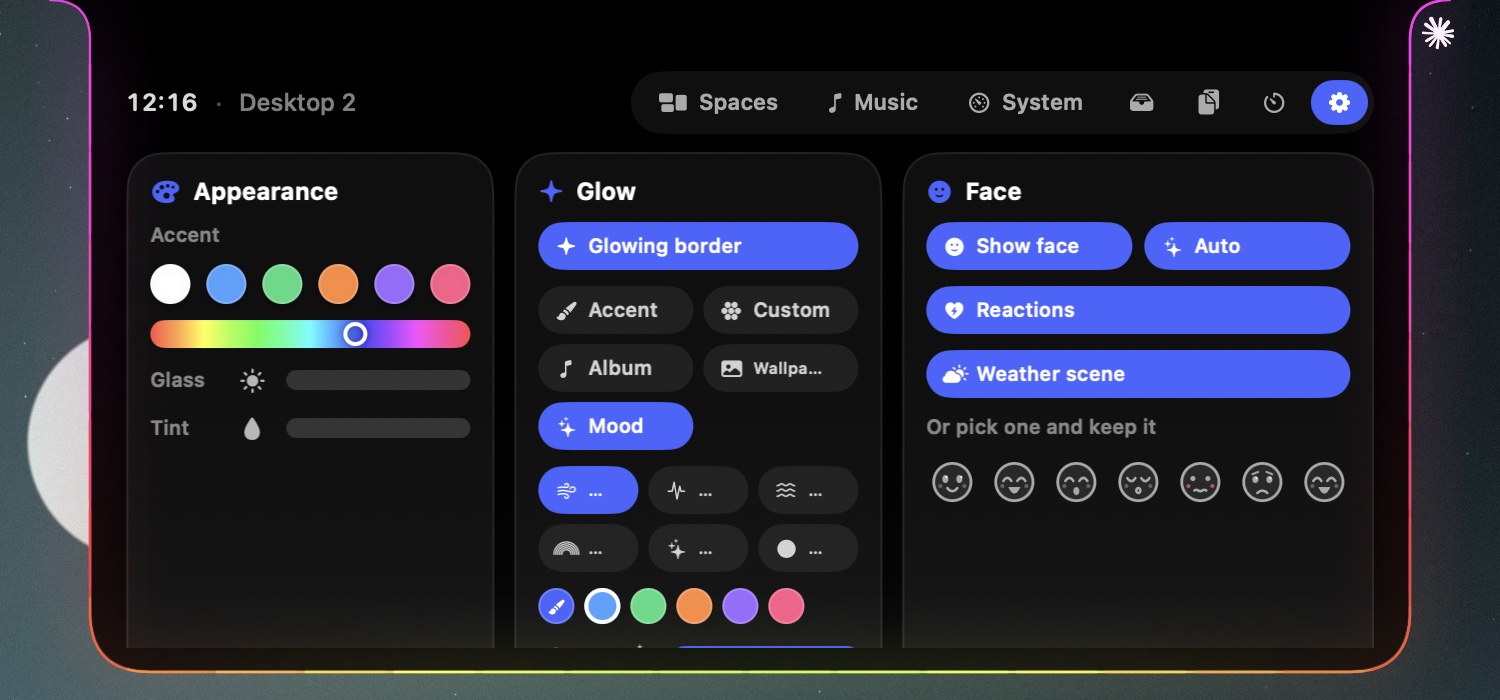
A border, exactly your color
The glowing border takes its color from your accent, a custom swatch, the album art, your wallpaper, or the song's mood — and moves the way you like: breathe, pulse, flow, comet, rainbow or solid. When music plays it waves to the beat.
Charging, alive
Plug in and a bright surge is born at the bottom of the border and races out to both sides — a heartbeat of light — while a battery ring fills and the face grins.
Everything animates at a buttery 30fps, then quiets down the moment the deck closes.
The little tools you keep reaching for.
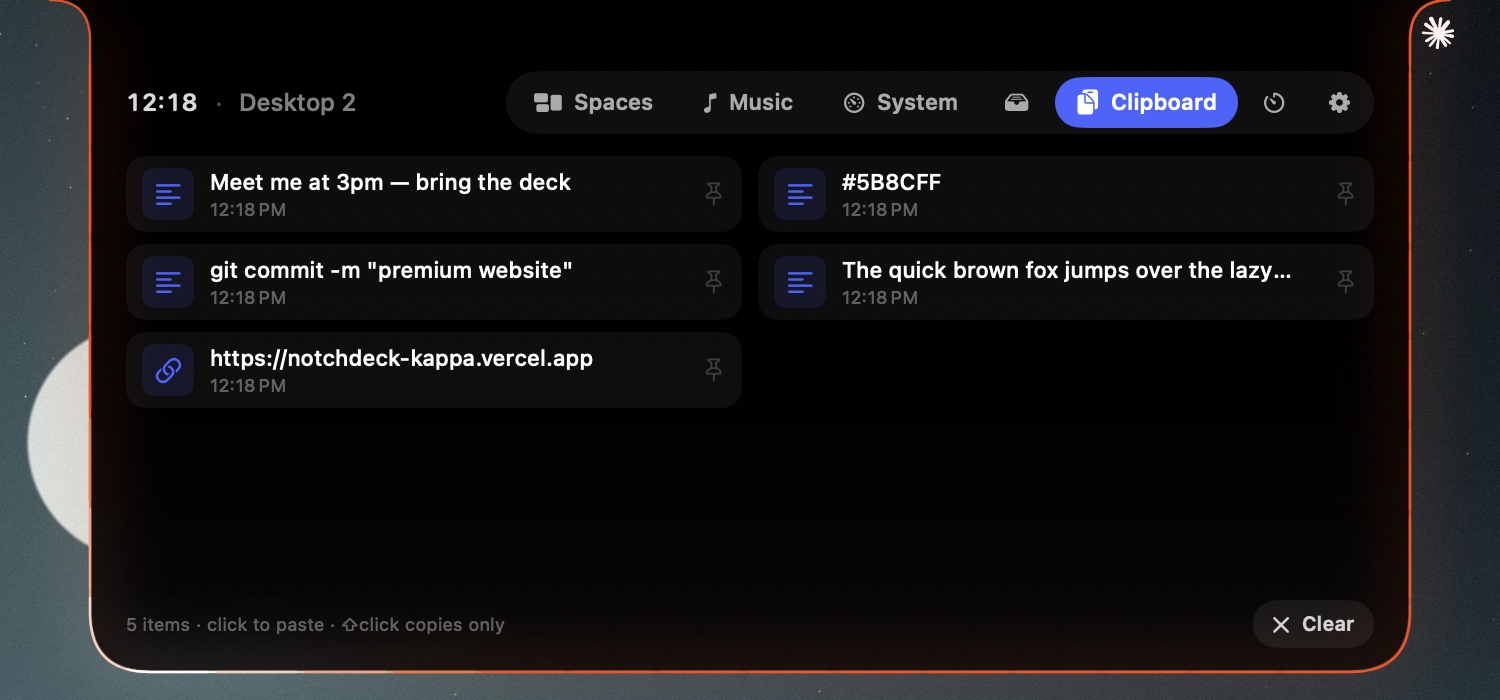
Everything you copy, one hover away
A running history of what you've copied — links, snippets, colors, notes. Click to paste it back, ⇧-click to just copy, pin the ones you reuse. It never leaves your Mac.
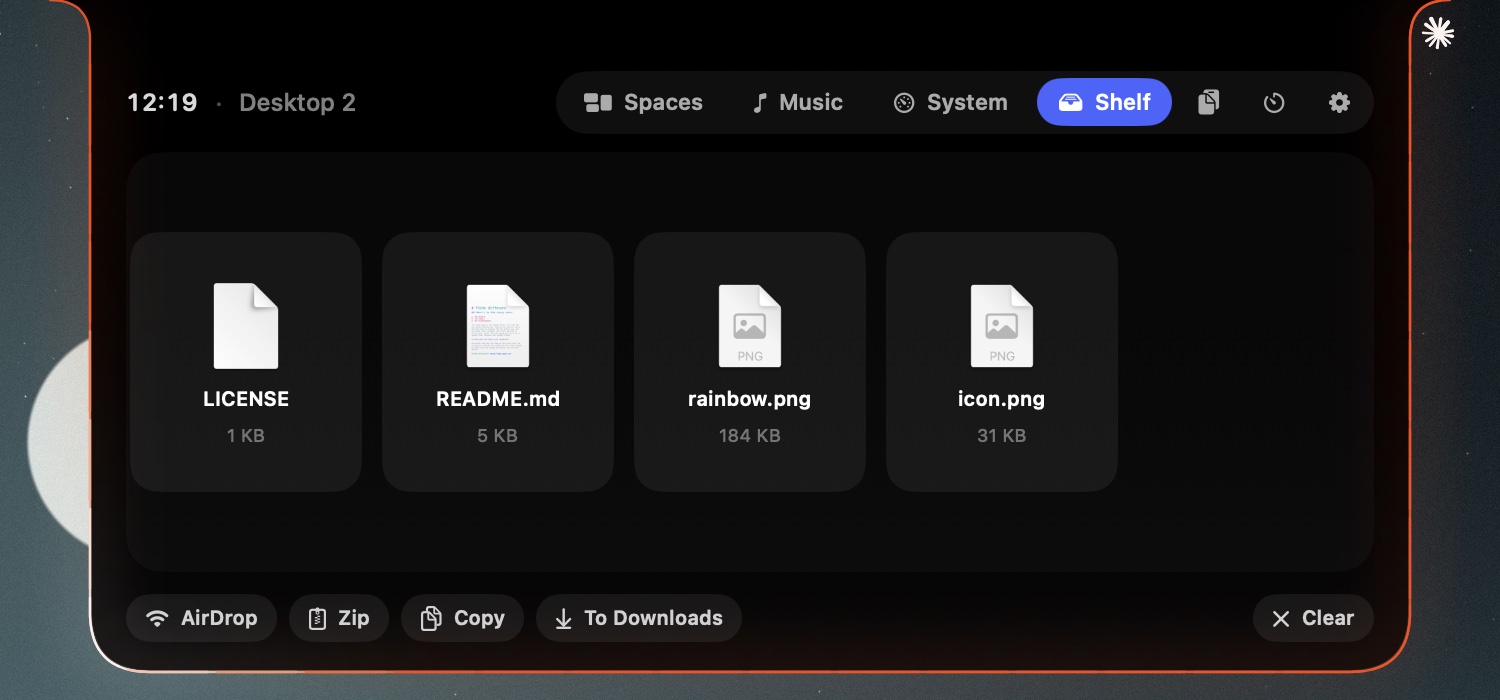
A drop-zone for files in transit
Drag files onto the notch and park them on the Shelf. Then AirDrop, zip, copy or send them to Downloads — a staging area that follows you across every desktop.
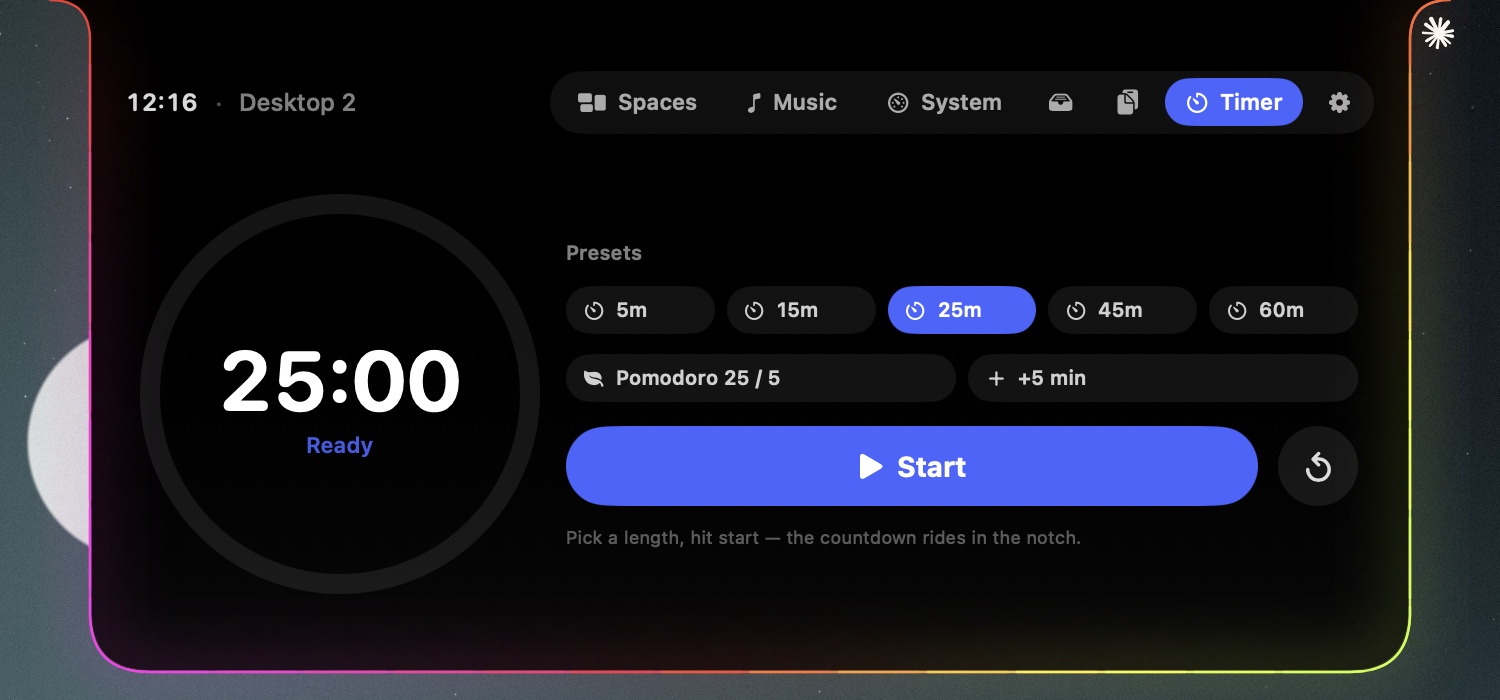
A countdown that rides in the notch
Pick a length or a Pomodoro, hit start, and the countdown lives in the collapsed notch while you work — with the face quietly focused and a ring winding down.
Built like a Mac utility should be.
Keyboard first
⌃⌥Space opens the deck on the screen your cursor is on, Esc closes it. No mouse needed.
Every display
Screens without a notch get a slim virtual one. Each display lists its own desktops and switches independently.
Stays out of the way
A menu-bar app with no Dock icon. Closed, it's exactly the size of the notch; nothing else on screen changes.
Private by design
Previews are captured locally and kept in memory. The mood model runs on-device. No accounts, no analytics.
Native, and light
Swift and SwiftUI, ~1 MB download, idle CPU near zero. Timers slow down when the deck is closed.
Free & open
Free to download, notarized by Apple, MIT-licensed source on GitHub. No sign-up, no trial.
Why it asks for a few things
NotchDeck walks you through these on first launch. Each one is optional — the deck works with whatever you grant.
Accessibility
Jumping to a desktop is done the way macOS intends: NotchDeck presses Mission Control's own “Switch to Desktop n” shortcut for you. Sending a keystroke needs the Accessibility permission. Nothing is read from other apps.
Screen Recording
The live previews in the Spaces page are screenshots of your desktops, taken on your Mac and kept in memory only. macOS calls this “Screen Recording” even for still captures. Without it you still get cards with the app icons.
Automation (Spotify / Apple Music)
Playback control talks to Spotify and Music through AppleScript. macOS asks once, the first time you press play from the deck.
Apple Intelligence (mood & captions)
The song-mood color, caption and face use Apple's on-device Foundation Models. It runs entirely on your Mac on supported hardware; when it isn't available, NotchDeck falls back to the album-art color. Nothing is sent anywhere.
Does it work in full-screen apps?
Yes. The notch stays available above full-screen apps, and full-screen spaces show up as cards you can jump to directly.
What about YouTube or other players?
NotchDeck controls Spotify and Apple Music. Browser playback isn't exposed by macOS to third-party apps in a reliable way, so it's not in this release.
Get NotchDeck
Free. Notarized by Apple. Drag it to Applications and hover your notch.
macOS 14 Sonoma or later · Apple silicon & Intel